
Leahy & Co’s ownWDS Console: Windows installs managed from a browser
A free, open-source web console for Windows Deployment Services: images, devices and drivers in a browser, and a live view of every network install. Published on GitHub.
The problem
Plenty of IT teams and IT support companies still install Windows over the network with Windows Deployment Services (WDS), more so since Microsoft retired its free deployment toolkit, MDT, in January 2026. WDS’s own tools haven’t kept up. Its console means remoting into the server, half its settings exist only on the command line, and when a PC won’t start its install, the reason is buried in event logs.
Windows 11 made it harder. Its own boot image no longer works with WDS, and an April 2026 security update stopped hands-free installs. Both show up as a PC that restarts or stalls, with the explanation in a log nobody is watching.
What I did
I built WDS Console, a web console for WDS, and published it as free, open-source software under Leahy & Co.
- Boot images, install images, devices, drivers and the server’s settings, all from a browser on any PC or phone: import an image straight from an ISO, prestage a list of PCs from a spreadsheet, and approve the ones waiting in bulk.
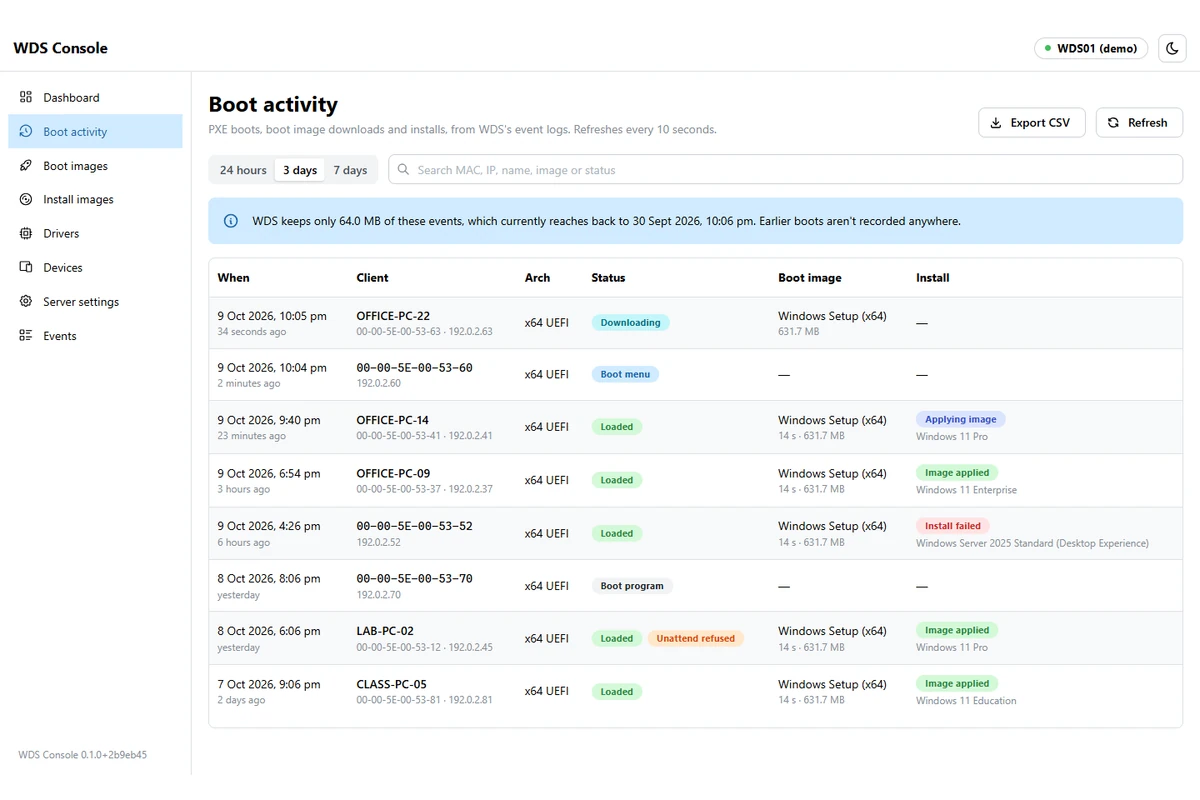
- Every network boot is listed with how far it got. With WDS’s client logging on, an install can be followed live: which image, who picked it, how long it took and what went wrong.
- I worked out why Windows 11’s boot image stops in WDS (the block is in Windows Setup itself, with no setting to turn it off), documented two ways around it, and made the console warn when one is added.
- Hands-free installs stay off unless an admin turns them on, with a warning about the security fix behind the change, and refused requests show up in the console instead of only in the event log.
- Sign-in uses Windows accounts, limited to the groups you choose, and every change is logged with who made it. Unattend files are logged by size only, because they often hold passwords.
- One script installs it as a Windows service, on the WDS server or on another machine that manages it over the network, and checks it can reach WDS before it finishes. A demo mode with a made-up server lets anyone try it on a Windows PC first.
What changed
- WDS is run from a browser instead of a remote session on the server, and a stuck PC shows where it stopped.
- Windows 11’s boot image problem has a documented fix, and the console flags it before anyone loses time to it.
- It’s free under the MIT licence, and version 0.1.0 is out: WDS Console on GitHub.
Under the bonnet
- ASP.NET Core on .NET 10, with a React and TypeScript front end
- WDS’s PowerShell module only runs in Windows PowerShell 5.1, so the service keeps a small pool of 5.1 sessions open, locally or over WinRM
- Scripts take their inputs as parameters, never pasted into the script text, and each returns one JSON result
- Server settings parsed from WDSUTIL, and the driver store read through WDSUTIL after the PowerShell cmdlet returned 2 of about 700 packages on a real server
- Windows sign-in with rate limiting and eight-hour sessions, HTTPS only, and settings only SYSTEM and Administrators can read
- Automated tests; GitHub Actions builds every release from a version tag; MIT licence; tested on Windows Server 2025
Services this touched
Got something like this?
A free chat about the problem, then a written quote before any work starts.